Live diagnostics
See what’s happening.
Read live engine signals, follow changing trends, and review fault codes. Keep useful evidence when something feels different.
Built for the cars you keep
Live diagnostics, the ownership history, and an AI agent to help you work through what comes next. For the classic Nissan or Infiniti you’re keeping.
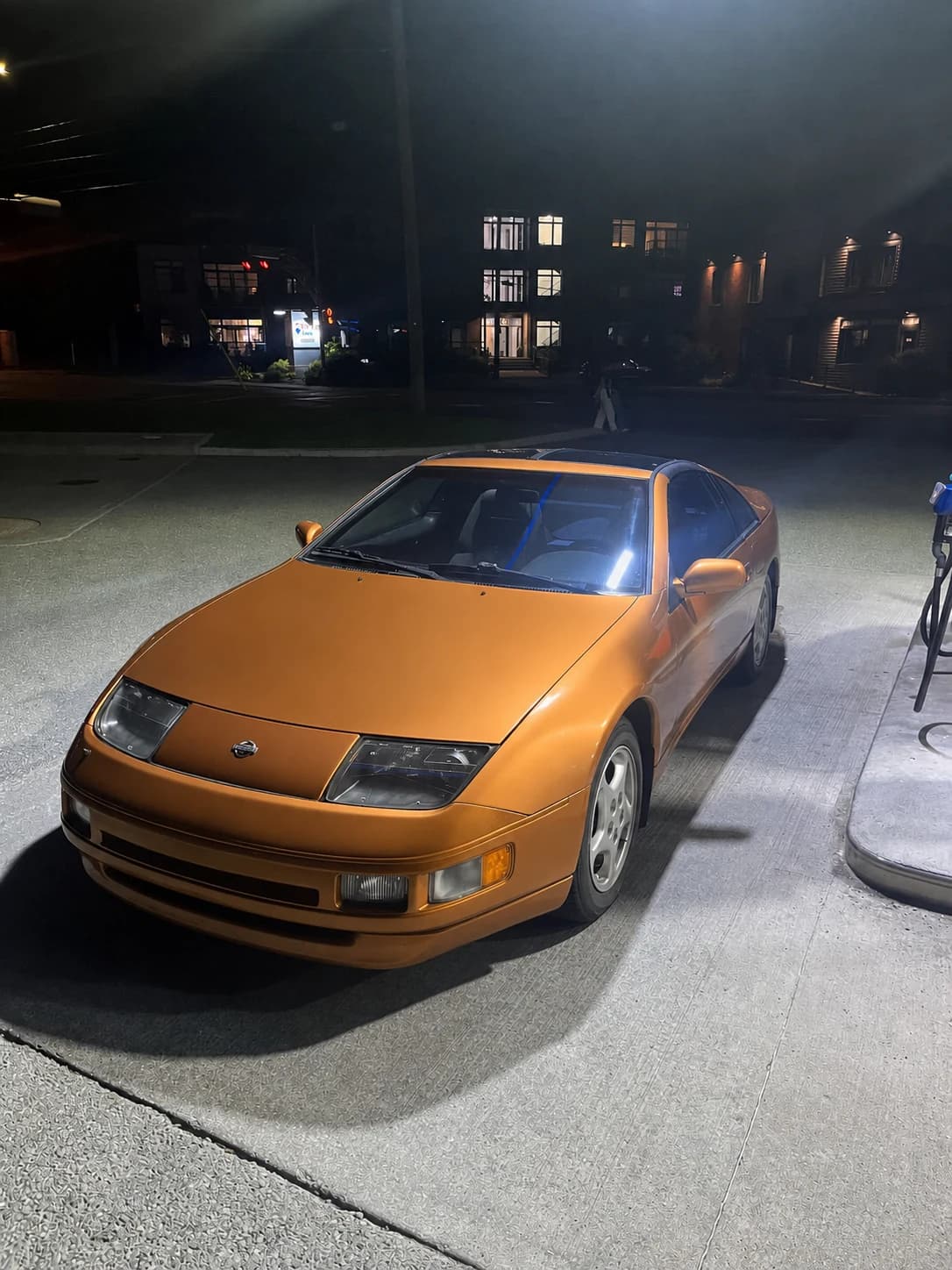
Origin vehicle
1990 Nissan 300ZX
791 rpm
82.8 °C
18:42 min
13.9 V
The whole car, in context
The readings, the repairs, and the questions belong together. A Windows workspace for the whole ownership story.
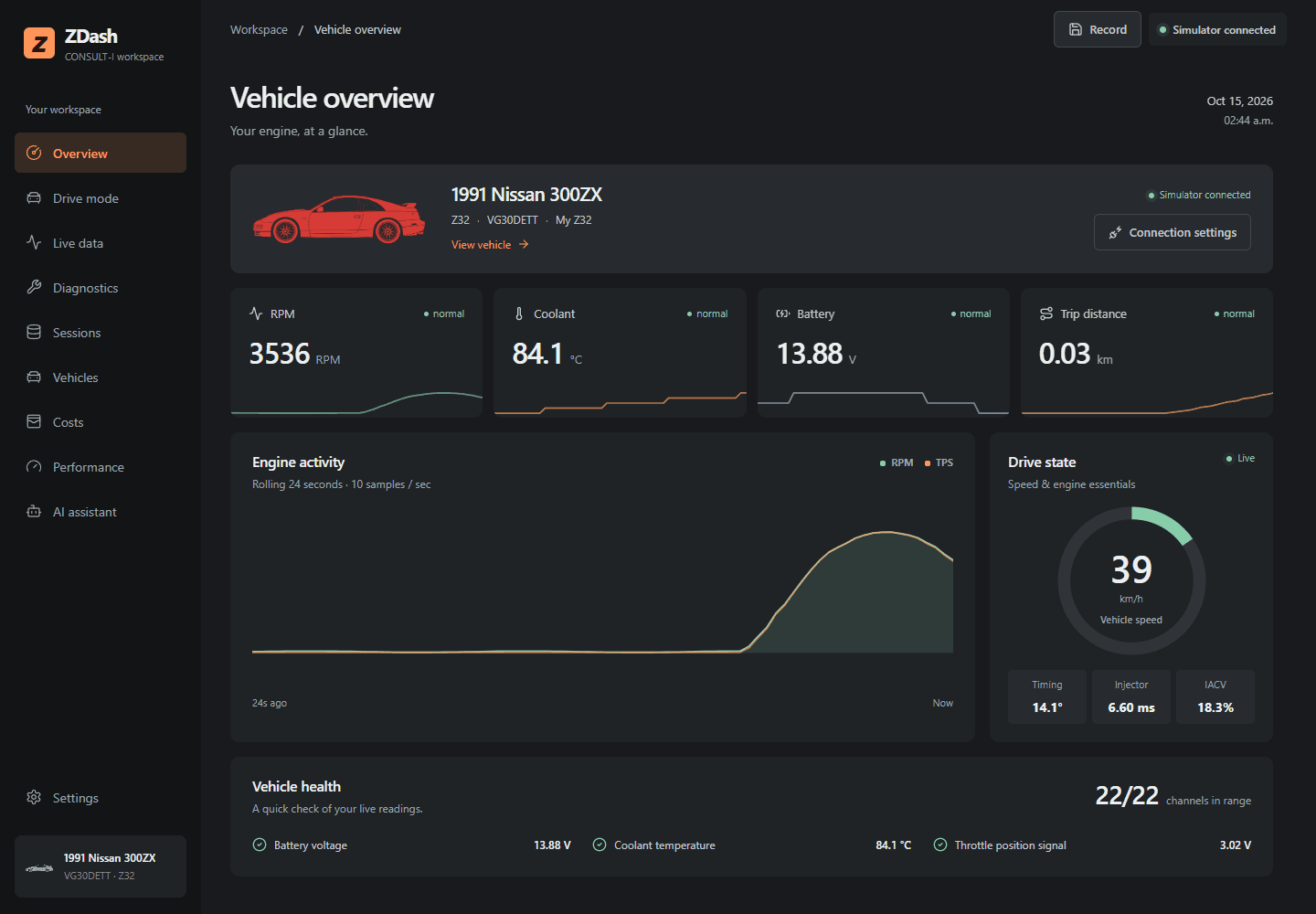
See the signals that matter as they happen. Focused gauges and rolling trends keep engine speed, temperature, and voltage in view.
Actual ZDash app preview, shown with simulator data.
A second set of eyes
From a hunting idle to a part that might fit, Ask ZDash helps you work through the question with your vehicle in context.
My 300ZX hunts at idle. Where do I start?
I can review the available fault codes, recent readings, and service notes together, then help you narrow down the next useful check.
Does the idle change when the engine is cold, warm, or both?
Your investigation is saved. Reply when you’ve checked.
Illustrative examples of the planned subscription. No live diagnosis or parts search is performed here.
$9.99 USD / monthOptional. Coming soon alongside ZDash.
Keep the core desktop tools without a subscription. Add the agent when you want another set of eyes.
One ownership workspace
Live diagnostics
Read live engine signals, follow changing trends, and review fault codes. Keep useful evidence when something feels different.
Drive mode
A dedicated view for speed, engine essentials, and trip statistics. Record a session, revisit its readings, and export the data for a closer look.
Maintenance
Keep dates, mileage, service notes, and follow-up context with the vehicle they belong to.
Saved sessions
Return to a saved drive, review its statistics, and compare what changed after a repair.
Ownership
Track the part on order, the upgrade you saved for, and what the work actually cost. Keep issues, parts, modifications, and costs together.
AI agent · Optional monthly plan
Investigate a symptom, research parts with fitment evidence, and prepare cost, performance, or modification drafts for your review. $9.99 USD per month.
Before you connect
ZDash can organize ownership records without vehicle hardware. Live data and fault memory require a compatible CONSULT-I connection.
Use a Windows PC with an available USB port. If the computer only has USB-C, add the matching USB adapter for your cable.
Use a Nissan CONSULT-I USB or serial interface cable that Windows can recognize as a COM port. Some cables require the maker's USB driver.
Confirm that the vehicle has the gray 14-pin Nissan CONSULT-I diagnostic connector. A standard 16-pin OBD-II cable is not a substitute.
Match the model, model year, engine, connector, and ECU to the final compatibility list before purchasing or connecting.
How the physical connection works
Windows PC → USB CONSULT-I cable → gray 14-pin vehicle connector → supported engine ECU
Exact cable and driver recommendations will be published with the launch compatibility guide.
Built from ownership
Because keeping an older car should feel rewarding, not like managing five disconnected tools.
Why ZDash exists
Maintaining an older car usually means live data in one tool, parts notes in another, service receipts somewhere else, and the useful context living in your head.
ZDash started as a way to bring that picture together, so every drive, issue, repair, and decision adds to a clearer ownership history instead of disappearing into another folder.
One workspace. A clear starting price.
Keep the desktop app as your daily workspace. Add the AI agent when you want help working through the next question.
Opening price
USD · One-timeIntroductory launch price. The planned regular price is $49.99 USD.
No payment is being collected today.
The ZDash desktop app
Built around the complete ownership story
Selected classic vehicles
Final support list published before checkout.
Your records, close to home
Core ownership data stays on your computer.
ZDash AI agent
$9.99 USD / monthAn optional second set of eyes, with your vehicle and its story in context. Core desktop tools work without this plan.
Both the app and AI subscription are coming soon. No payment is collected today. Live diagnostics require a supported vehicle and interface. AI guidance does not replace professional diagnosis.
A few things to know about the app, the connection, and the launch.
ZDash is in active development. Purchase will open after the release build and vehicle compatibility guidance have been validated. Until then, ZDash is coming soon.
The first release is Windows-first and focused on selected classic Nissan and Infiniti vehicles. The exact vehicle and model-year compatibility list will be published before checkout opens.
Live vehicle features require a Nissan CONSULT-I USB or serial interface cable connected to the vehicle’s gray 14-pin CONSULT-I port. Windows must recognize the cable as a COM port, and some cables require a USB driver. A standard OBD-II cable is not a substitute. The built-in simulator works without vehicle hardware.
Core vehicle and ownership records are designed to stay locally on your computer. Any optional connected feature will be identified clearly so you can make an informed choice.
No. ZDash helps you capture evidence, see patterns, and bring better context to the next decision. It does not replace a qualified technician or professional diagnosis.
ZDash is planned to open at an introductory price of $39.99 USD one-time, then move to a regular price of $49.99 USD one-time. No payment is being collected while the product is coming soon.
The planned $9.99 USD monthly subscription adds vehicle-context investigations, parts research with fitment evidence, saved follow-up conversations, and draft cost, performance, or modification entries for your review. You approve record changes. AI guidance does not replace professional diagnosis, and a possible parts match is not a guarantee of fitment.
No. Live diagnostics, drive mode, saved sessions, and your core ownership tools are part of the desktop app. The AI agent is an optional subscription for help investigating questions, researching parts, and preparing records. Both the app and subscription are coming soon.
The planned AI subscription is an online feature. Your core desktop records and non-AI tools remain available without the AI plan. Live diagnostics still require a supported vehicle and cable.
ZDash is being built for the owners who still care enough to listen. Purchase opens when the first release is ready.